StaySums is a finance workbook for Airbnb, Vrbo, and direct-booking hosts. Log each booking once. It computes your payouts, checks them against what the platform sent, and keeps a tax summary ready all year.
Get StaySums for $49One-time purchase. Excel and Google Sheets. Instant download.Set up in about ten minutes. No accounting background needed.
The nightly rate blurs into the cleaning fee. The platform quietly keeps its cut before the money lands. By April you are rebuilding a whole year from bank statements and guesswork. StaySums fixes the structure of the problem: every dollar gets logged once, in the right bucket, the day it happens.
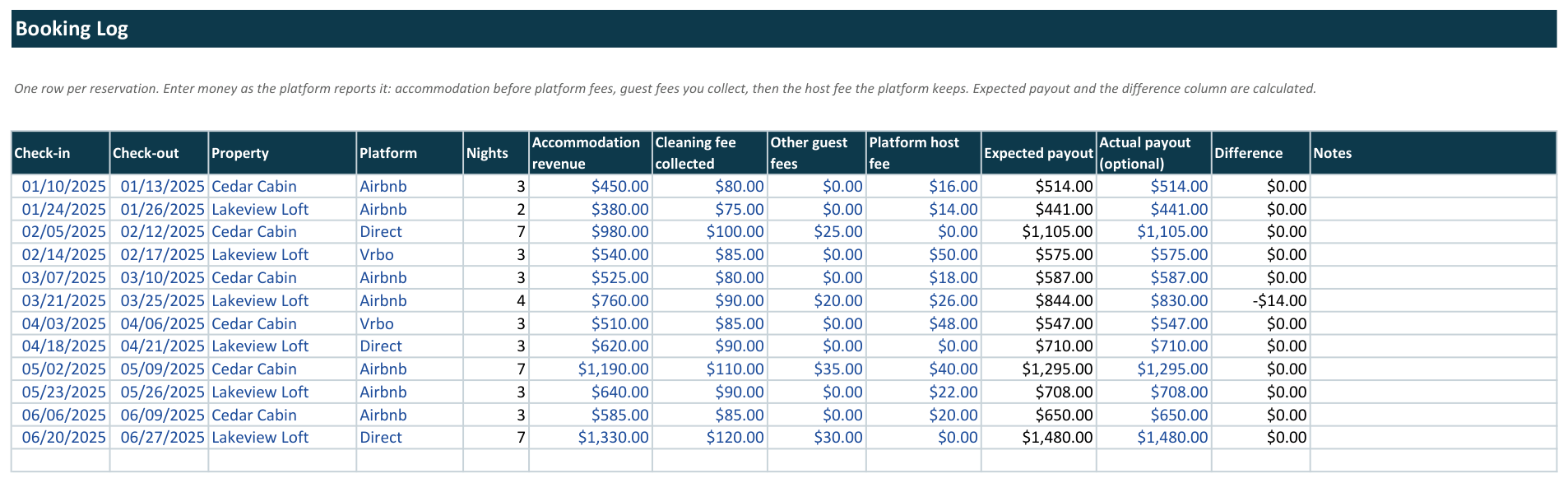
Enter the booking the way the platform reports it. StaySums computes the payout you should receive and flags any gap against the payout that actually landed in your bank.
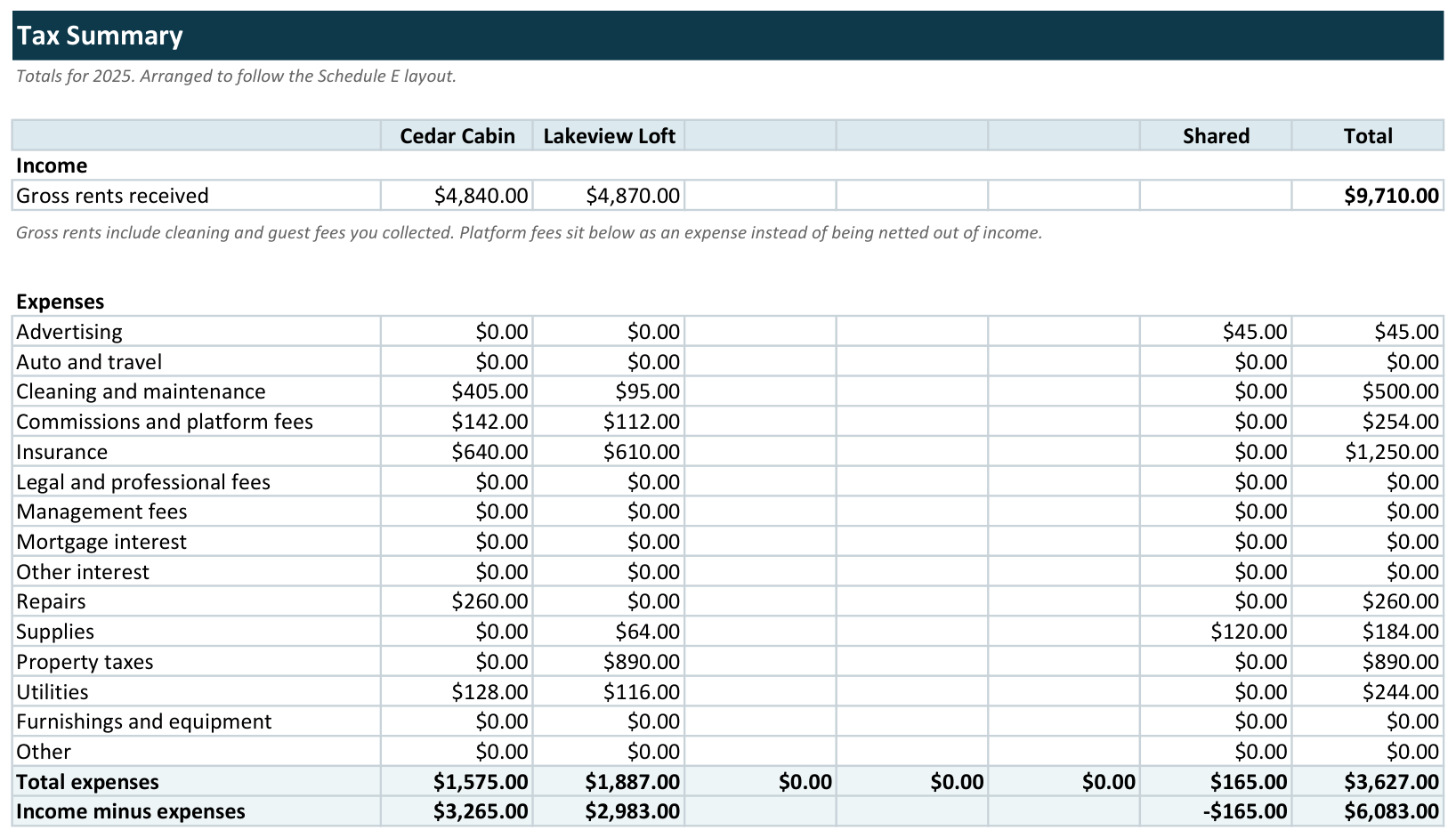
Expense categories follow the Schedule E layout, and platform host fees flow into the commissions line on their own. Your tax preparer reads one sheet instead of a shoebox.
Track up to five properties across Airbnb, Vrbo, Booking.com, and direct bookings. Shared costs get their own label so nothing gets double-counted.
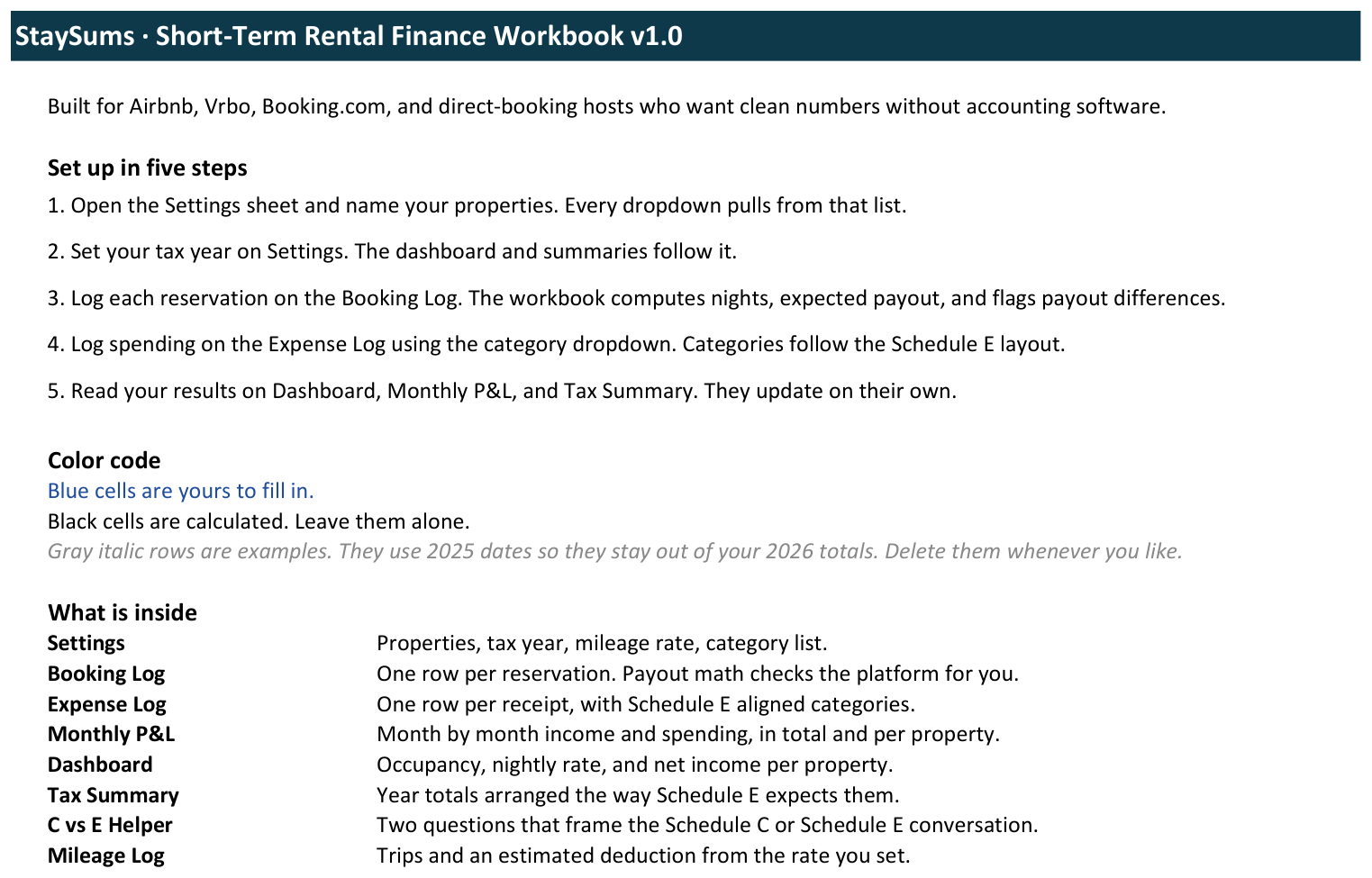
Open Settings, type your property names, pick your tax year. Every dropdown in the workbook follows that list.
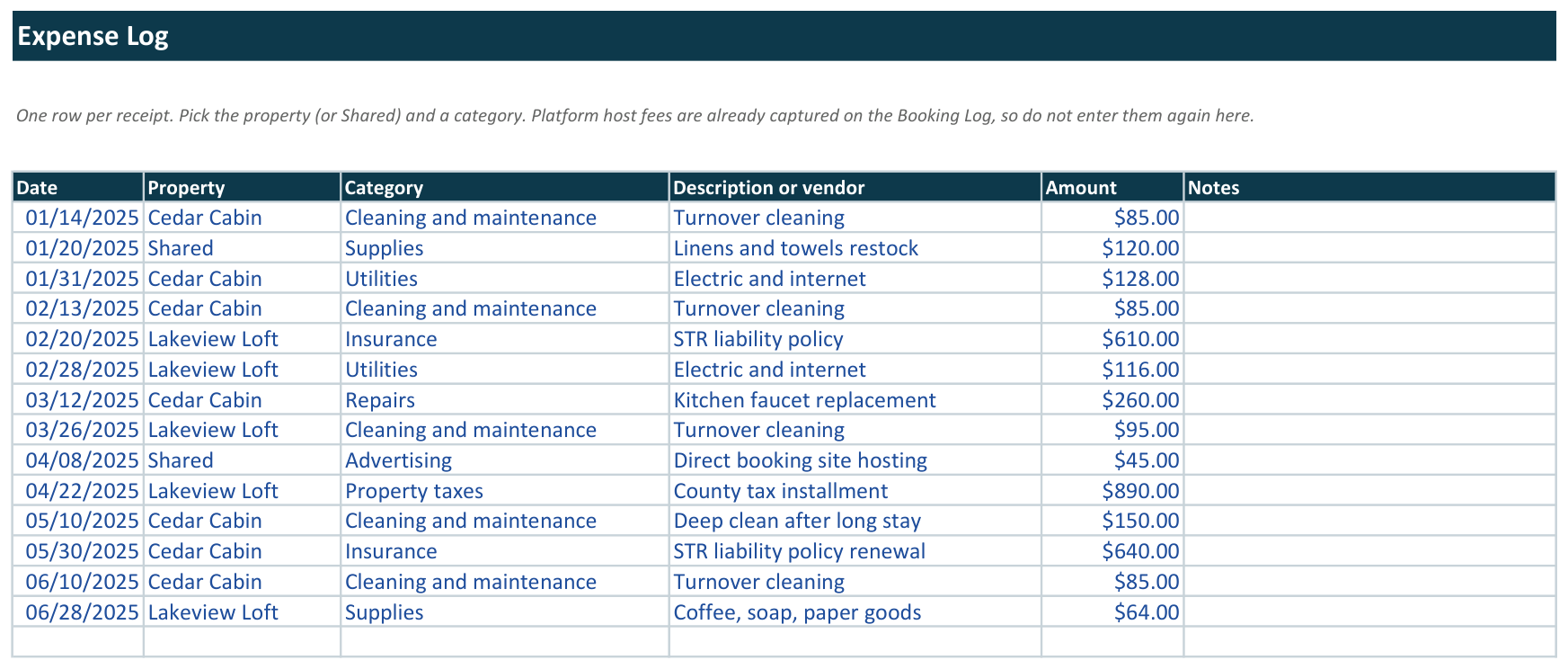
One row per reservation, one row per receipt. Enter the numbers the way your platform reports them. The formulas handle the rest.
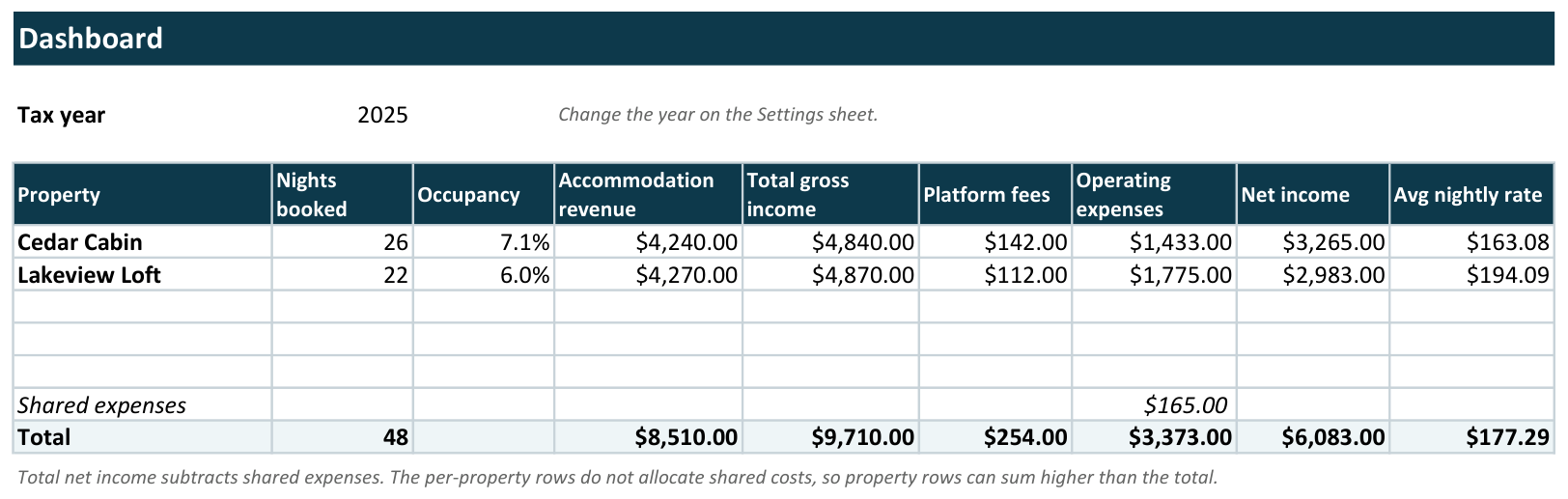
Occupancy, average nightly rate, net income per property, monthly trends, and a year-end tax summary. All computed, always current.
| Booking Log | One row per reservation with nights, expected payout, and difference flags against actual payouts. |
| Expense Log | Receipt-level tracking with Schedule E aligned categories and a Shared label for portfolio costs. |
| Dashboard | Occupancy, average nightly rate, gross income, platform fees, and net income per property. |
| Monthly P&L | Twelve months across the top, income and spending down the side, portfolio and single-property views. |
| Tax Summary | Year totals per property in the Schedule E layout. Platform fees land in the commissions row automatically. |
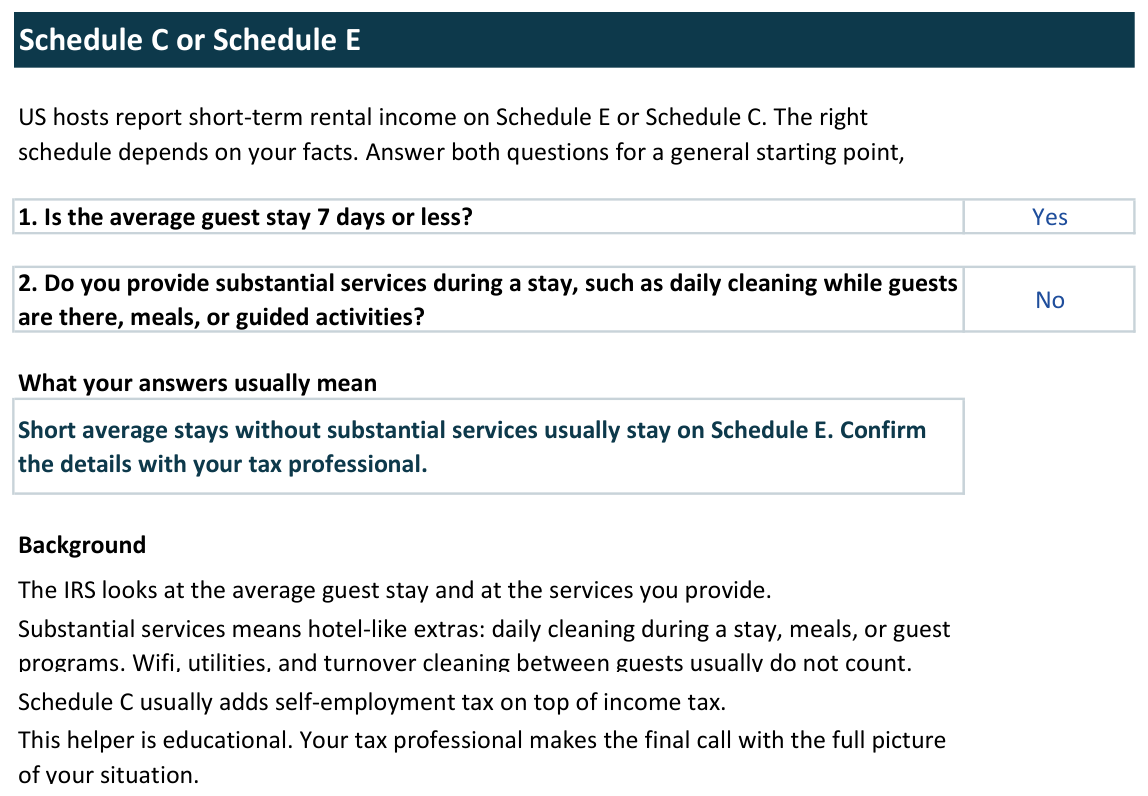
| C vs E Helper | Two questions that frame whether your rental leans Schedule C or Schedule E, built to discuss with a professional. |
| Mileage Log | Trip tracking with a deduction estimate from the rate you set each January. |
| Lodging Tax Checklist | Seven things to confirm about occupancy taxes for your exact address. |
| Start Here + Quick Start PDF | Ten-minute setup walkthrough, color conventions, and worked example rows you can delete. |
Two free calculators, no email required. They use the same fee logic as the workbook.
Yes. We import every release into Google Sheets and re-check the numbers against Excel before shipping. Upload the file to Drive, open it as a Sheet, and everything carries over: formulas, dropdowns, and formatting.
No. StaySums is a bookkeeping and planning tool. It organizes your numbers in the Schedule E layout so tax season is easier, and it never pretends to be your accountant. Every sheet carries a plain reminder to confirm current rules with the IRS or a professional.
Five properties in this version, each with its own dashboard row, plus a Shared label for costs that cover the whole portfolio. Most hosts we designed for run one to three listings.
No. You pay $49 once and the file is yours. Your download link keeps working, so you can grab the file again whenever you need it.
Email support@staysums.com within 30 days and we refund you. Keep the file.
StaySums was designed and engineered with AI assistance and verified by hand: every formula was recalculated in Excel, cross-checked against hand-computed examples, and re-tested after import into Google Sheets. We publish that honestly because most spreadsheet shops will not.
We include a checklist that walks you through what to confirm for your address, because these taxes stack differently in every state, county, and city. The workbook deliberately avoids calculating them so it never gives you a wrong number.